Your library,
served from home.
A server for your NAS or Mac that serves your music to Sterio on every device in the house.
Docker on your NAS · Mac · no account
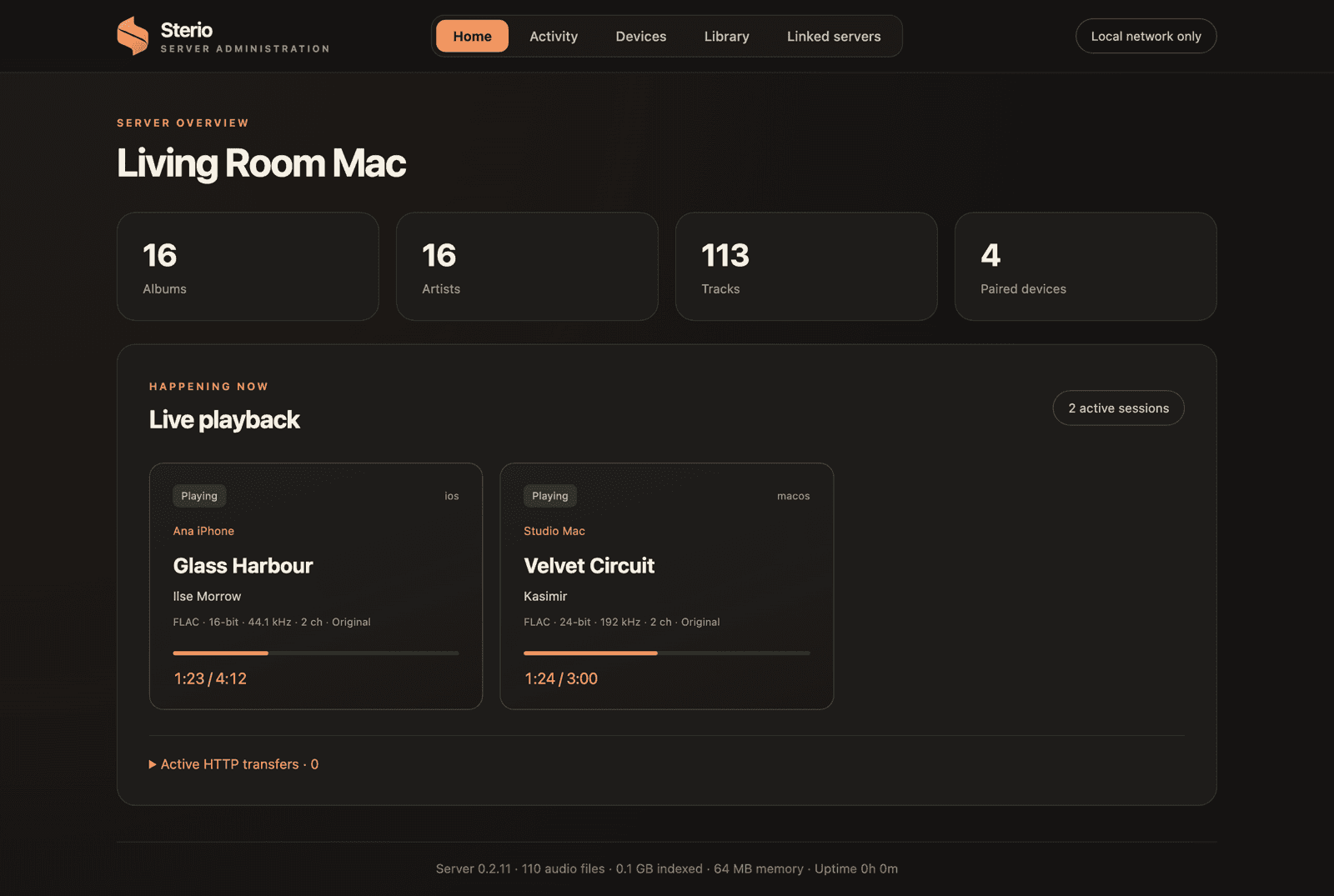
One server for the whole house.
Original files
Every device gets the file as it is on disk. DSD goes out over DoP; DSD to PCM only if you turn it on.
Conversion only when needed
A FLAC for the device that can't play the original.
SACD disc images
Played straight from the .iso, nothing extracted. Plain DSD stays DSD, DST plays as PCM. Stereo.
Artwork and artists
Finds missing covers and artist photos, automatically or on the dashboard. Merge duplicate artists.
How it worksAlbums put together
Multi-disc albums become one album, and compilations stay grouped.
Playlists and profiles
Shared playlists and favourites, Home mixes, and each listener keeps their own history and reports.
How it worksListening sessions
Linked iPhones, iPads and Macs share one session: each sees what's playing and can control it or take it over. Kept by your server, no cloud.
How it worksA friend's library
Link your server to someone else's with a one-time key from their dashboard, and their albums play in your Sterio. Their server has to be reachable over the internet.
How it worksIt never changes or deletes your music.
Sterio Server only reads your library. The one thing it ever writes there is a hidden .sterio-tracks folder, when you choose to split CUE albums into tracks, and there it only replaces its own files. Covers, thumbnails and caches live in the server's own data folder. On Docker the music folder is mounted read-only unless you turn on splitting.
Usage stats are opt-in: the server asks once. With a yes, it says hi once a day with a random id, its version and platform, and nothing else. Nothing about your music leaves your network.
Three ways to look after it.
The dashboard
Opens in your browser on the Mac.
 Fri 21:40
Sterio Server is running
16 albums · 113 tracks · 4 devices
Phones connect to living-room.local
Open Dashboard⌘O
Music: Music
Choose Music Folder…
Show Music in Finder
✓Open at Login
Show Server Log⌘L
Quit Sterio Server⌘Q
In the menu bar
Sterio Server keeps running while the Mac is on.
Settings
Server administration
Living Room Mac
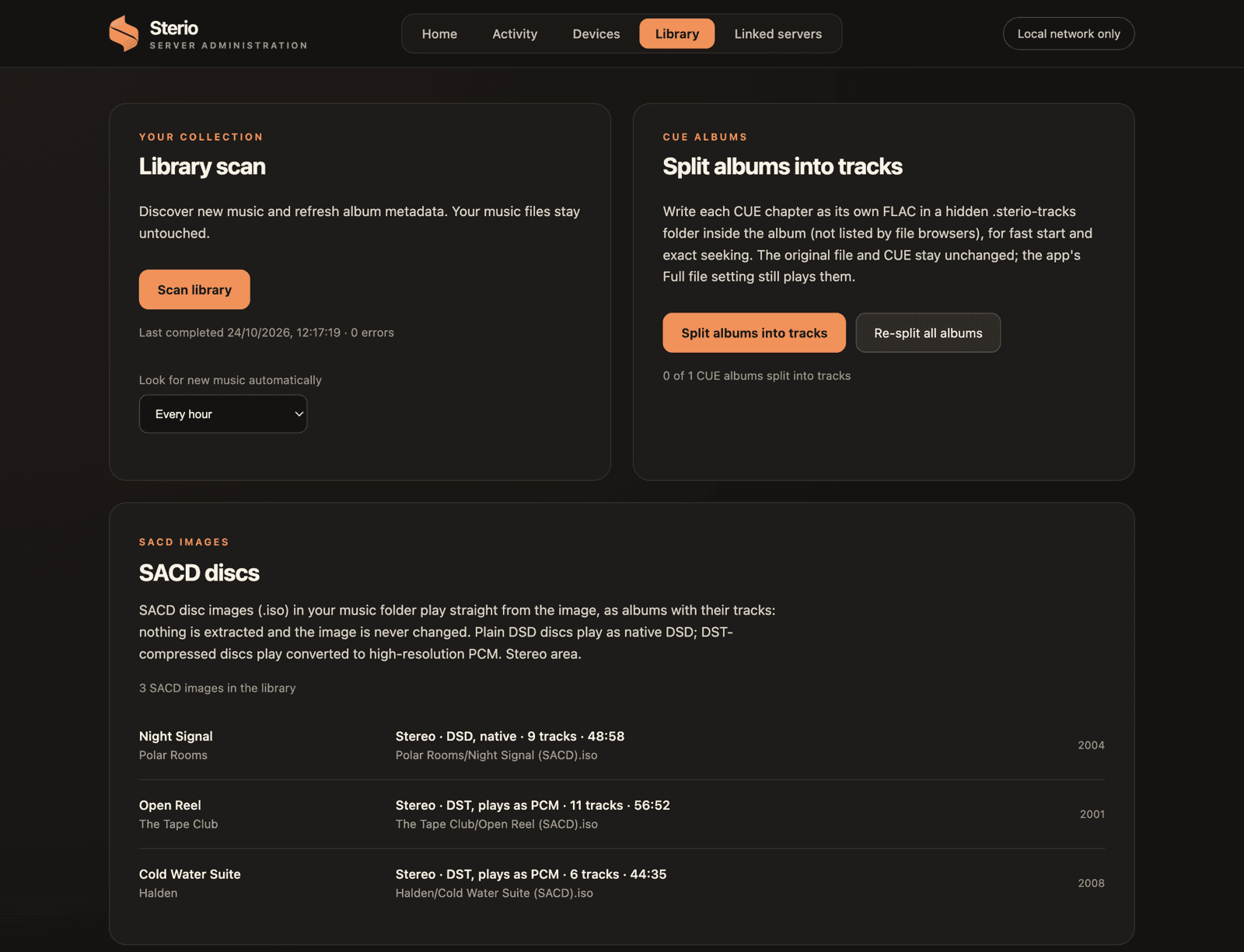
Library scan
Discover new music and refresh album metadata. Music files stay untouched.
Scan library
Look for new music: every hour
SACD discs
SACD images (.iso) in the music folder play straight from the image: nothing is extracted.
Night Signal · Polar Rooms
Stereo · DSD · 9 tracks · 48:58
Open Reel · The Tape Club
Stereo · DST, plays as PCM · 11 tracks · 56:52
Cold Water Suite · Halden
Stereo · DST, plays as PCM · 6 tracks · 44:35
In the Sterio app
Settings › Server administration, on any admin device.
Running in a few minutes.
- 1Install it on your NAS or Mac
- 2Choose your music folder
- 3Connect in Sterio and accept